Overview
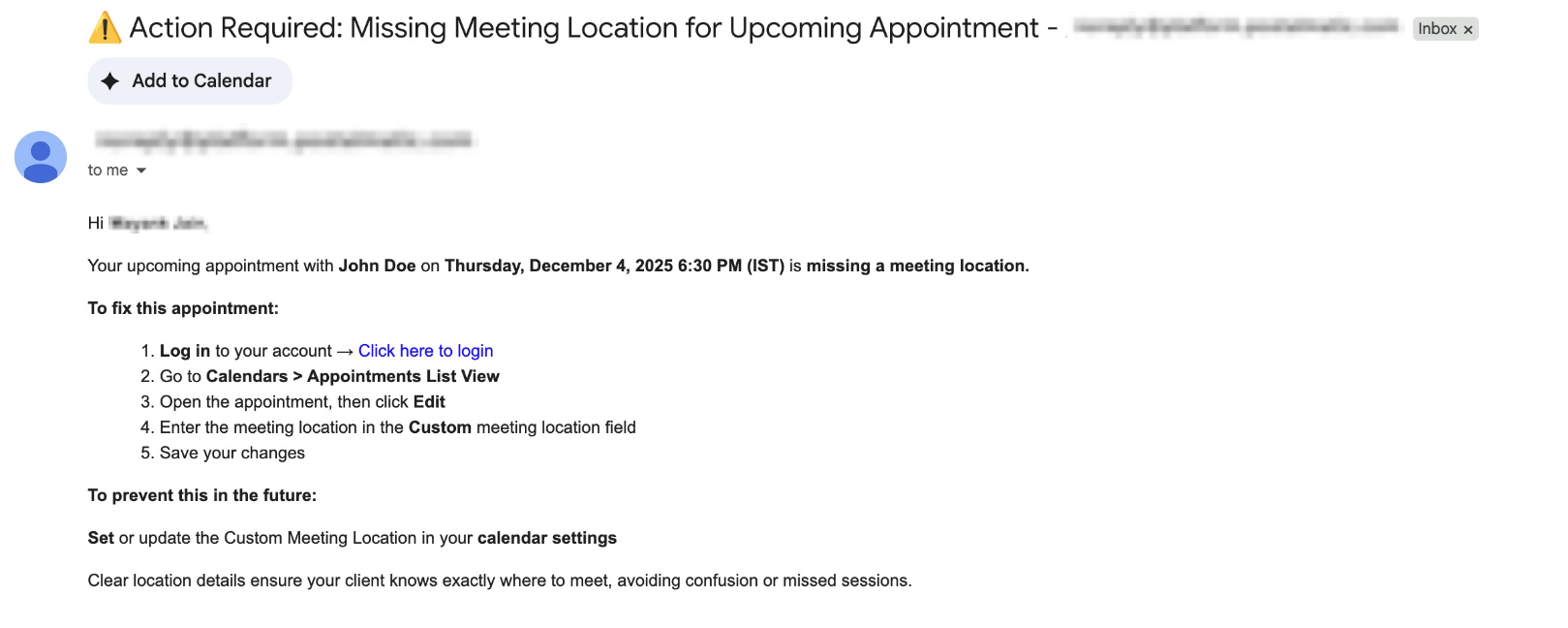
We’ve added a smart new alert to help
avoid confusion
and missed meetings
: users can now be notified
when an appointment
is created without a meeting location
or link.Whether it’s a
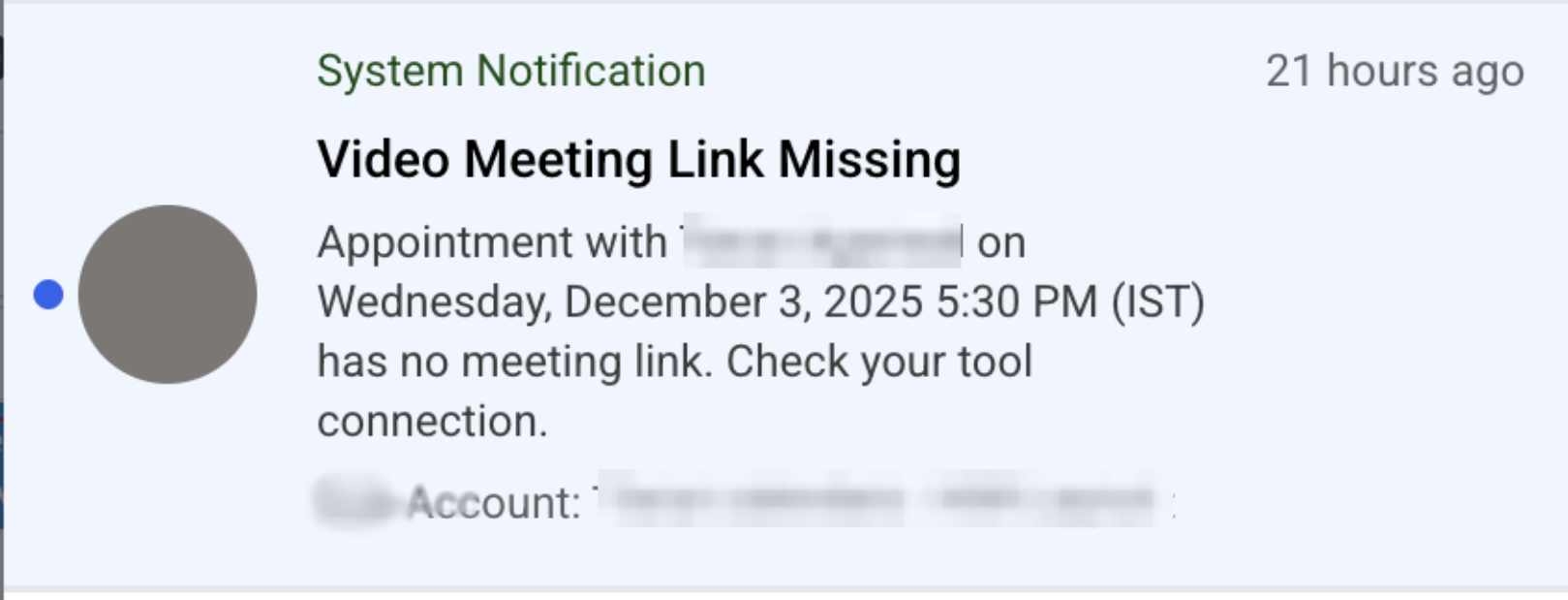
failed Zoom/Google Meet/MS Teams
integration, an empty custom location
field, or a manually created appointment without a set location
— this update ensures that assigned users can catch it in time and take action.What’s New?
Smart Notifications for Missing Location or Link
- Whenever an appointment is booked without a meeting location, the assigned user can now receive a notification — via email and/or in-app push, depending on their preferences.
Respects Staff Preferences
- Notifications are sent only if the assigned user has them enabled in their notification settings.
Know which Meeting was Impacted
- Users will receive notifications for every meeting scheduled without a location, to help them address each appointment.
Configurable in Notification Settings
- Users can manage their preferences from: Settings › My Staff › Select Staff › Notification Settings › Calendar Notifications ›“Notify when meeting link/location is missing”
- Supported channels: EmailandIn-App.
Why This Matters
- Prevents no-showsor last minute hiccups caused by missing meeting locations
- Catches broken or failed integrationsearly so users can take action
- Ensures control — notifications are only sent to users who have opted in
Was this article helpful?
That’s Great!
Thank you for your feedback
Sorry! We couldn't be helpful
Thank you for your feedback
Feedback sent
We appreciate your effort and will try to fix the article