Overview
To help users choose the right calendar type and understand how
Event Calendars
behave, we’ve added a clear informational message that highlights their functional differences
. This ensures users know what to expect before
creating
or editing
an Event Calendar, reducing confusion and unnecessary support reach-outs.What’s New?
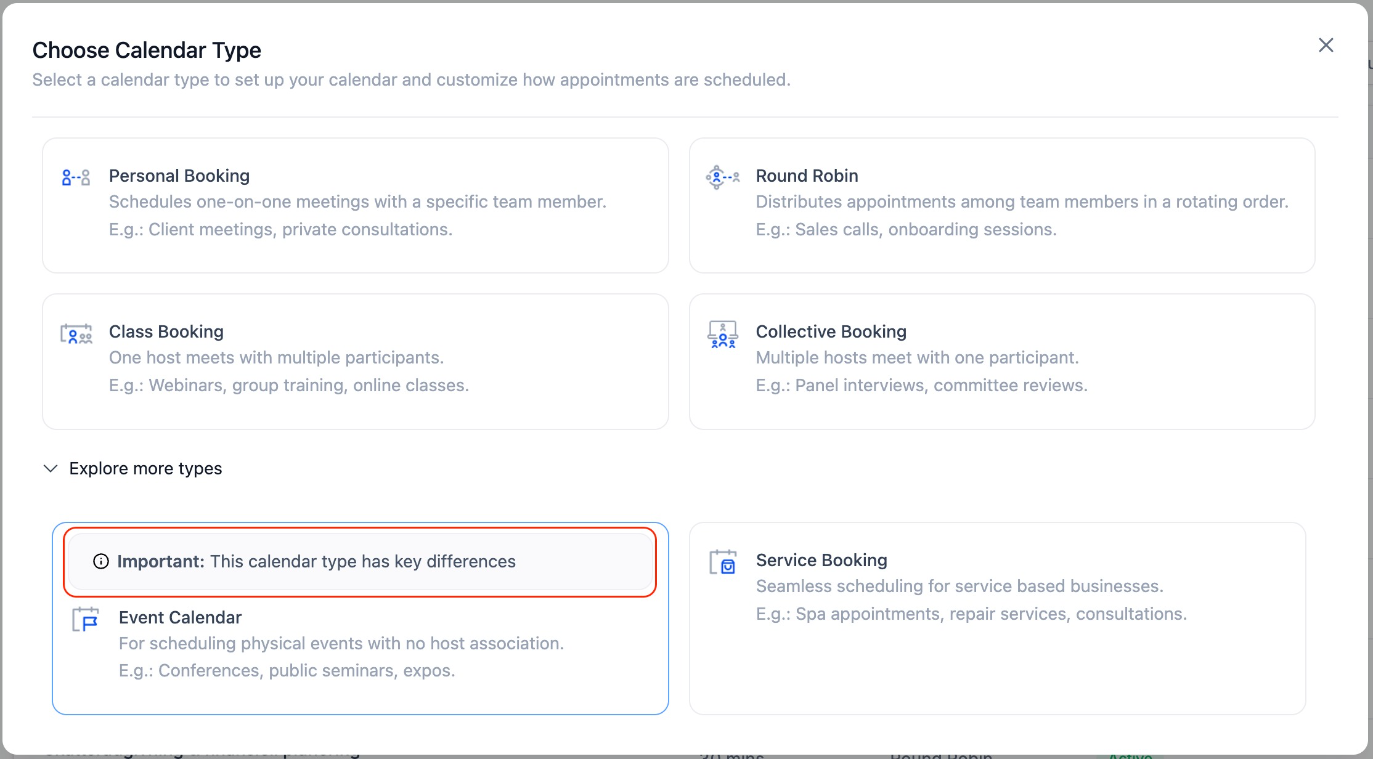
Upfront Helper Message on Setup & Edit Screens
- When you go to create or edit an Event Calendar, you’ll now see a label : “This calendar type has key differences” — along with an info icon for more details.
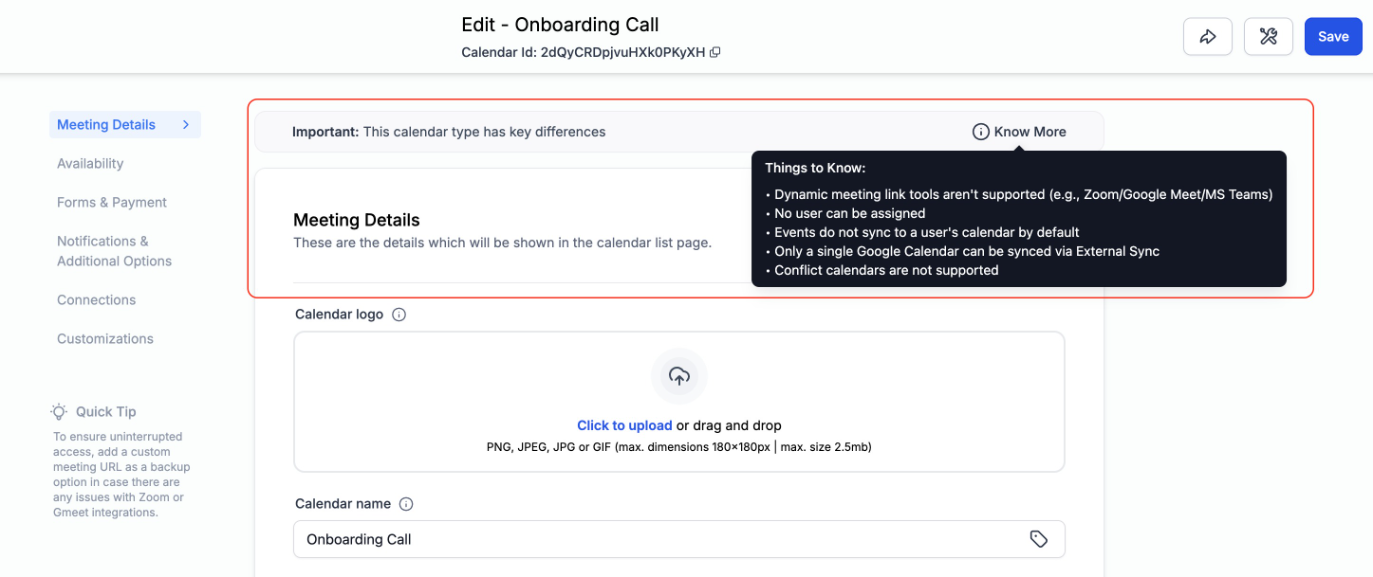
Tooltip with Functional Differences
- Hover over the info icon to view a full list of known functional differences.
Why This Matters
- Helps users understand how Event Calendars differfrom standard calendars
- Prevents incorrect expectations around syncing, user assignment, or integrations
- Reduces support inquiriestied to missing features or unexpected behavior
- Improves transparency and builds user confidence during setup
Was this article helpful?
That’s Great!
Thank you for your feedback
Sorry! We couldn't be helpful
Thank you for your feedback
Feedback sent
We appreciate your effort and will try to fix the article